Synology SNMP
1,864

Created 5/1/2023
Updated 5/1/2023
Revision 1
Grafana Version >=9.4.7
Datasources
Prometheus

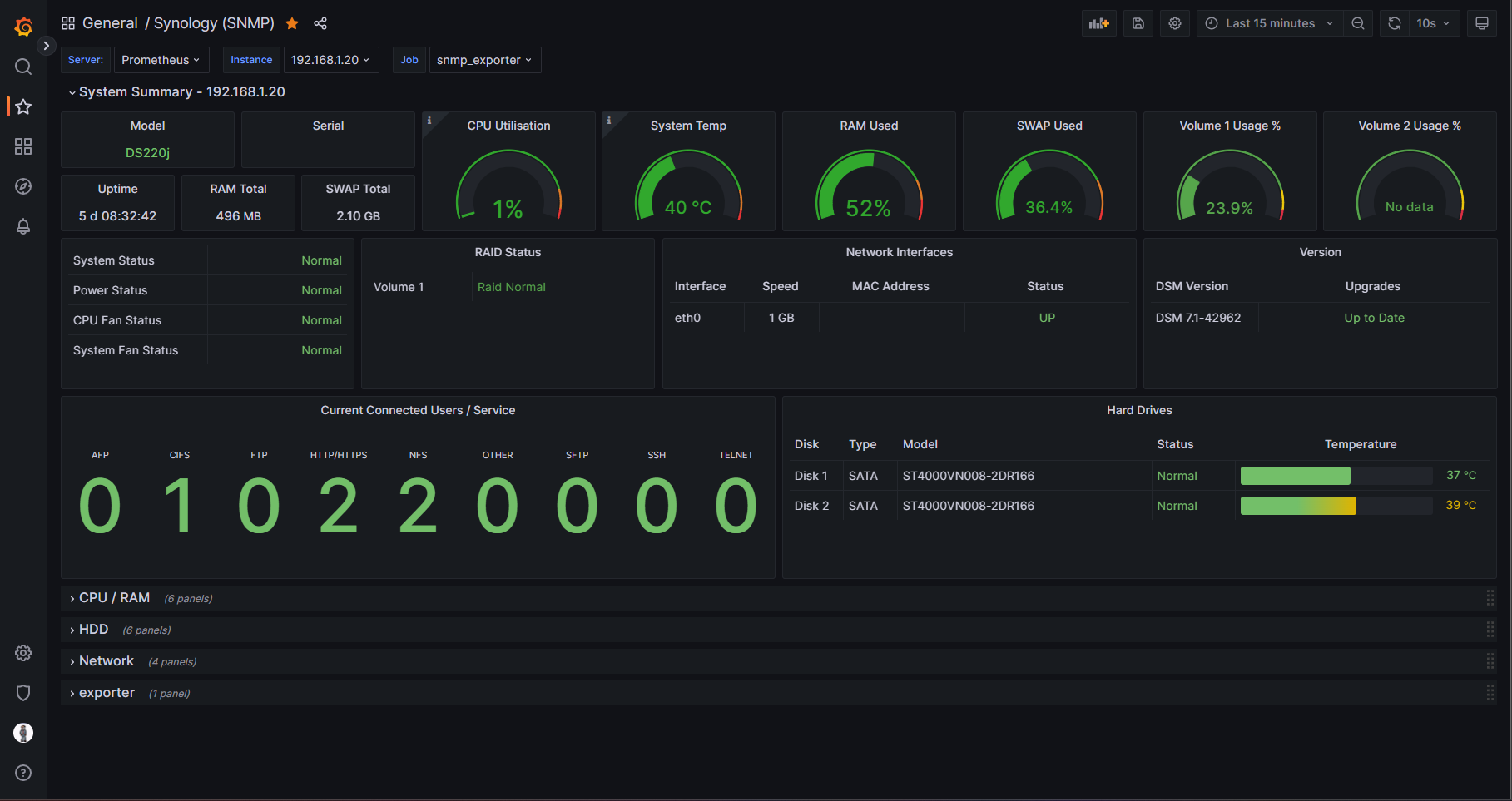
A simple Synology dashboard that uses SNMP data only.

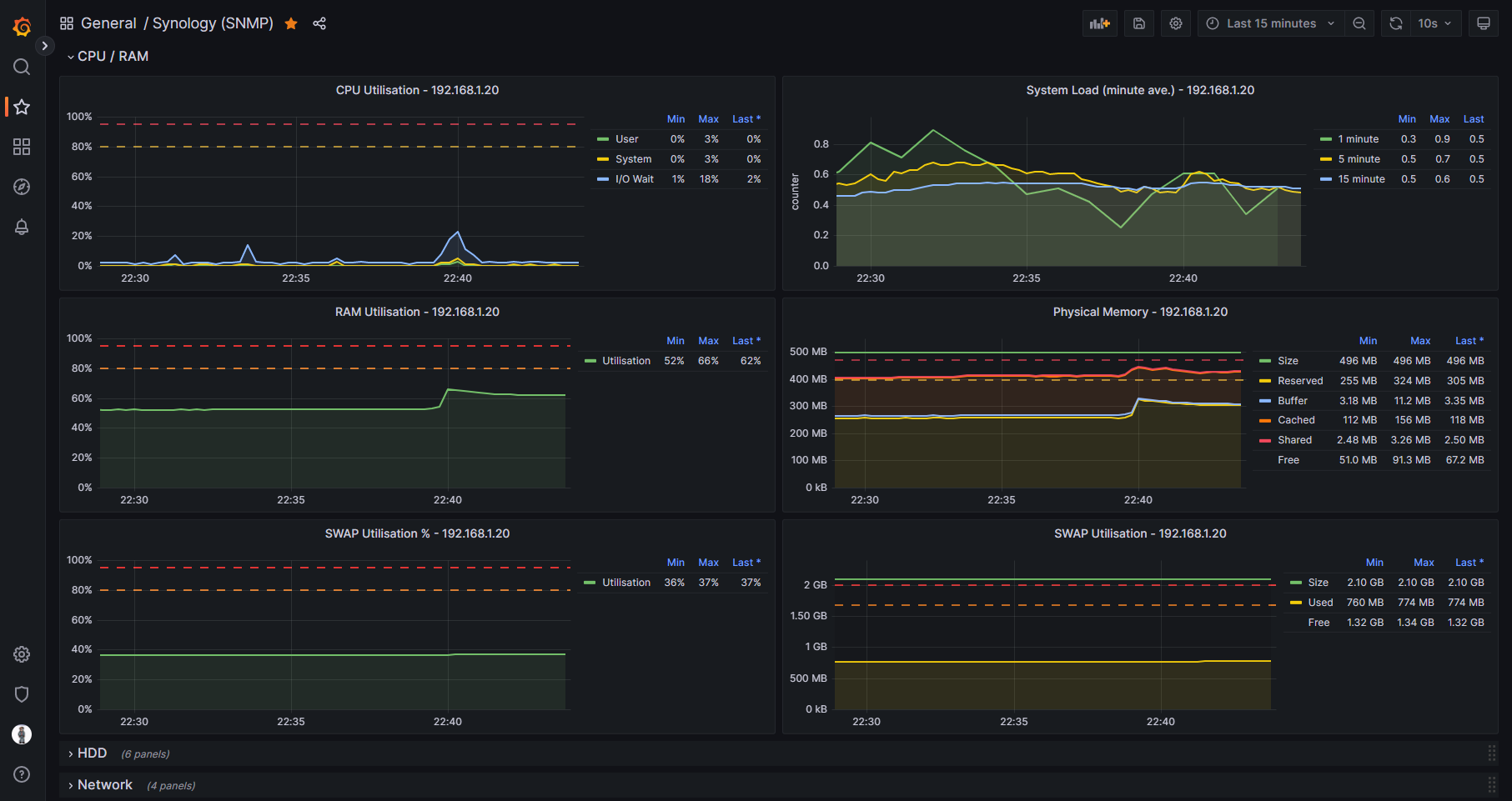
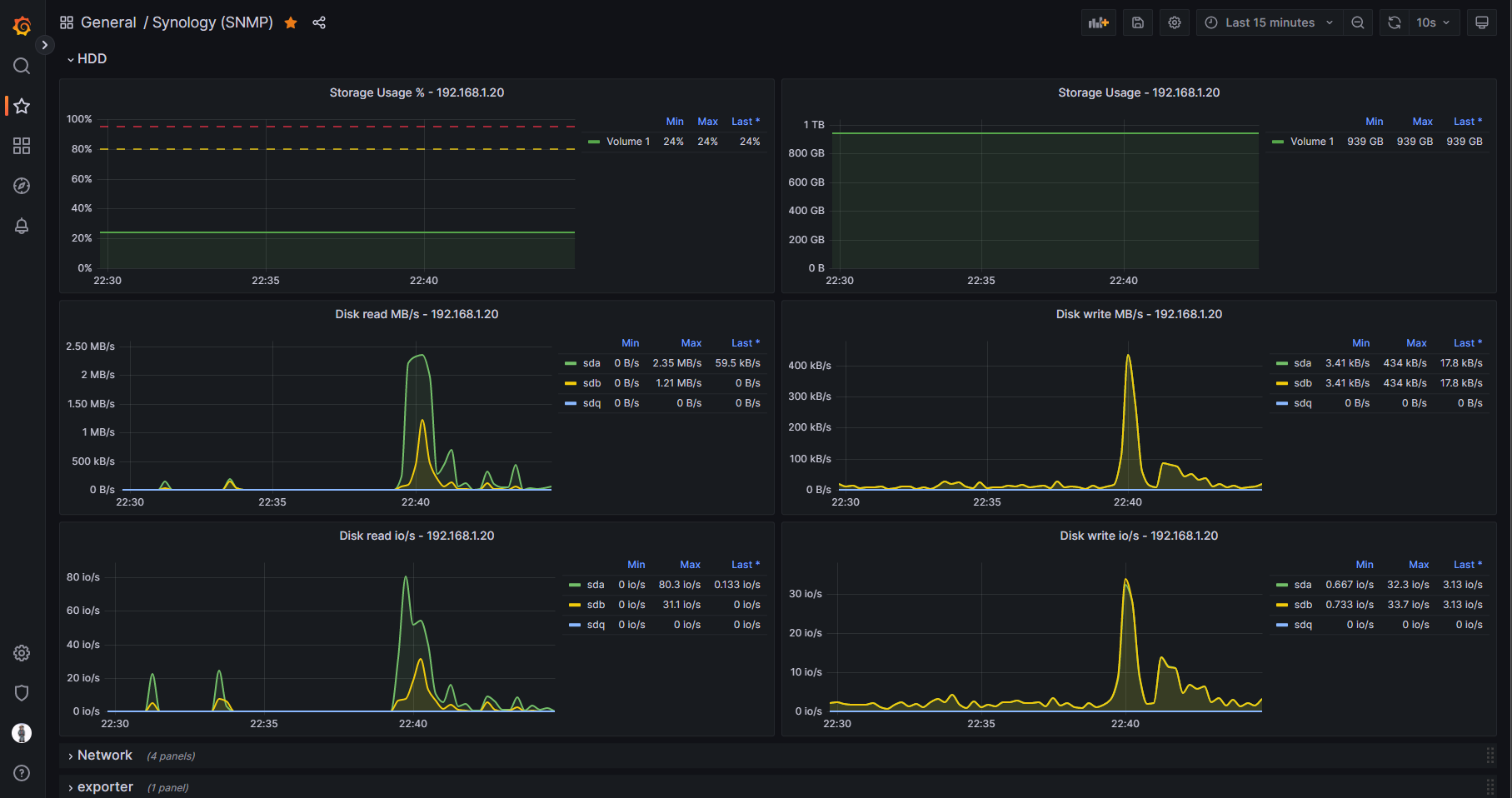
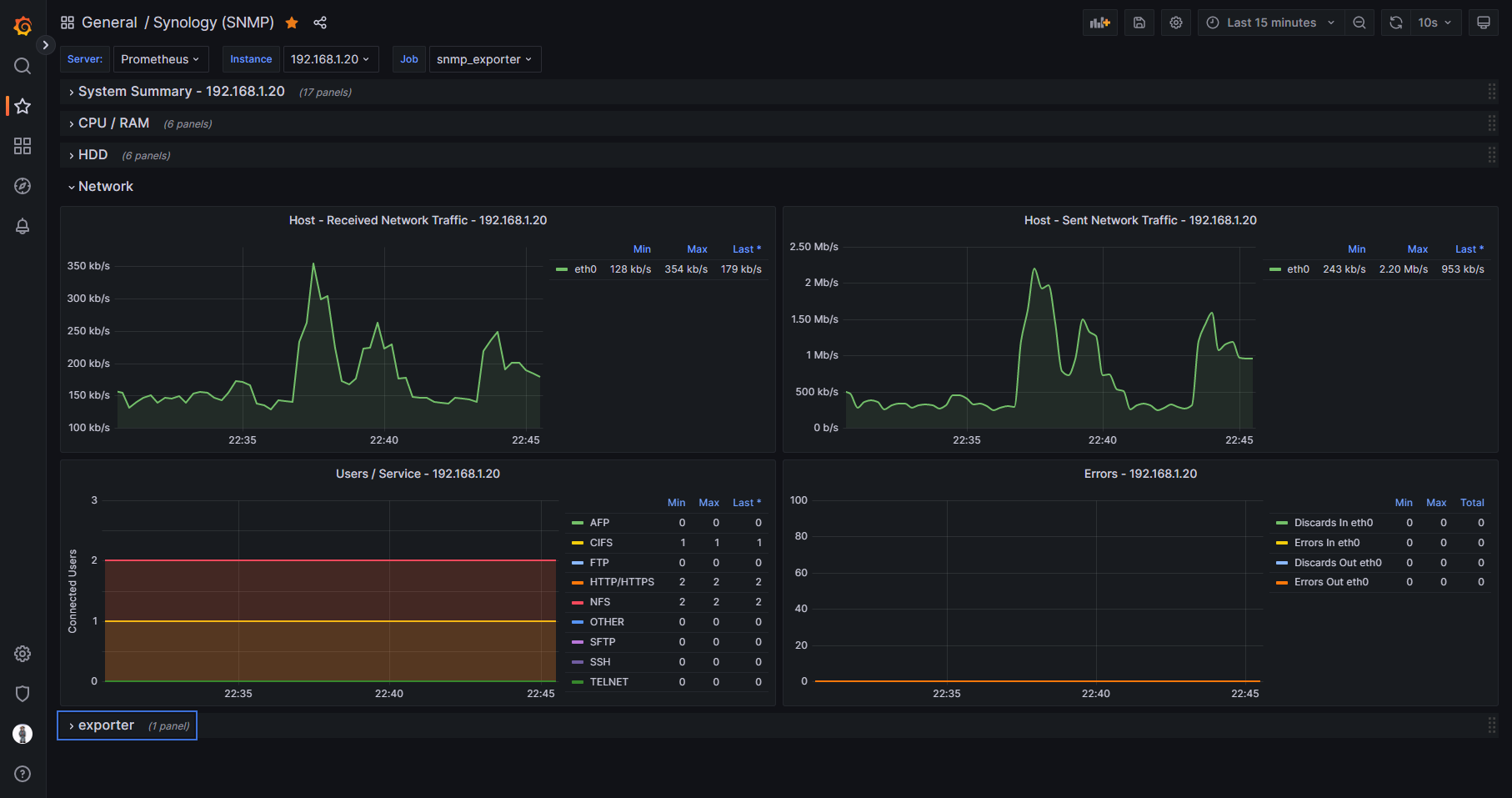
Without the need for using containers such as Cadvisor or Node_Exporter, this dashboard is able to run on J series Synology NAS devices that cannot run Docker. The example screenshots are of this dashboard viewing statistics on a Synology 220j.

Please check out the SNMP_Exporter Github repository below for instructions on how to set up the exporter service in Docker on a server that is on the same network as the NAS. The repository has an snmp.yml file that has been customised for Synology so this dashboard can run.

https://github.com/clralab/boilerplates/tree/main/docker-compose/snmp_exporter

The dashboard includes basic metrics of CPU, RAM, HDD, and Network usage.

Get Dashboard
Download
Copy to Clipboard
Source Grafana.com

Used Metrics 44

  • modelName

  • serialNumber

  • ssCpuIdle

  • temperature

  • memTotalReal

  • memAvailReal

  • memCached

  • memBuffer

  • memTotalSwap

  • memAvailSwap

  • raidTotalSize

  • raidFreeSize

  • hrSystemUptime

  • cpuFanStatus

  • systemFanStatus

  • systemStatus

  • powerStatus

  • raidStatus

  • ifPhysAddress

  • ifSpeed

  • ifOperStatus

  • upgradeAvailable

  • version

  • serviceUsers

  • diskTemperature

  • diskType

  • diskStatus

  • diskModel

  • ssCpuUser

  • ssCpuSystem

  • laLoadInt

  • memShared

  • diskIONReadX

  • diskIONWrittenX

  • diskIOReads

  • diskIOWrites

  • ifHCInOctets

  • interfacebits

  • ifHCOutOctets

  • ifInDiscards

  • ifInErrors

  • ifOutDiscards

  • ifOutErrors

  • snmp_scrape_duration_seconds