sFlow-RT Network Interfaces 824824
11/15/2019
8/9/2023
2
>=10.0.1
Prometheus
sFlow-RT Network Interfaces
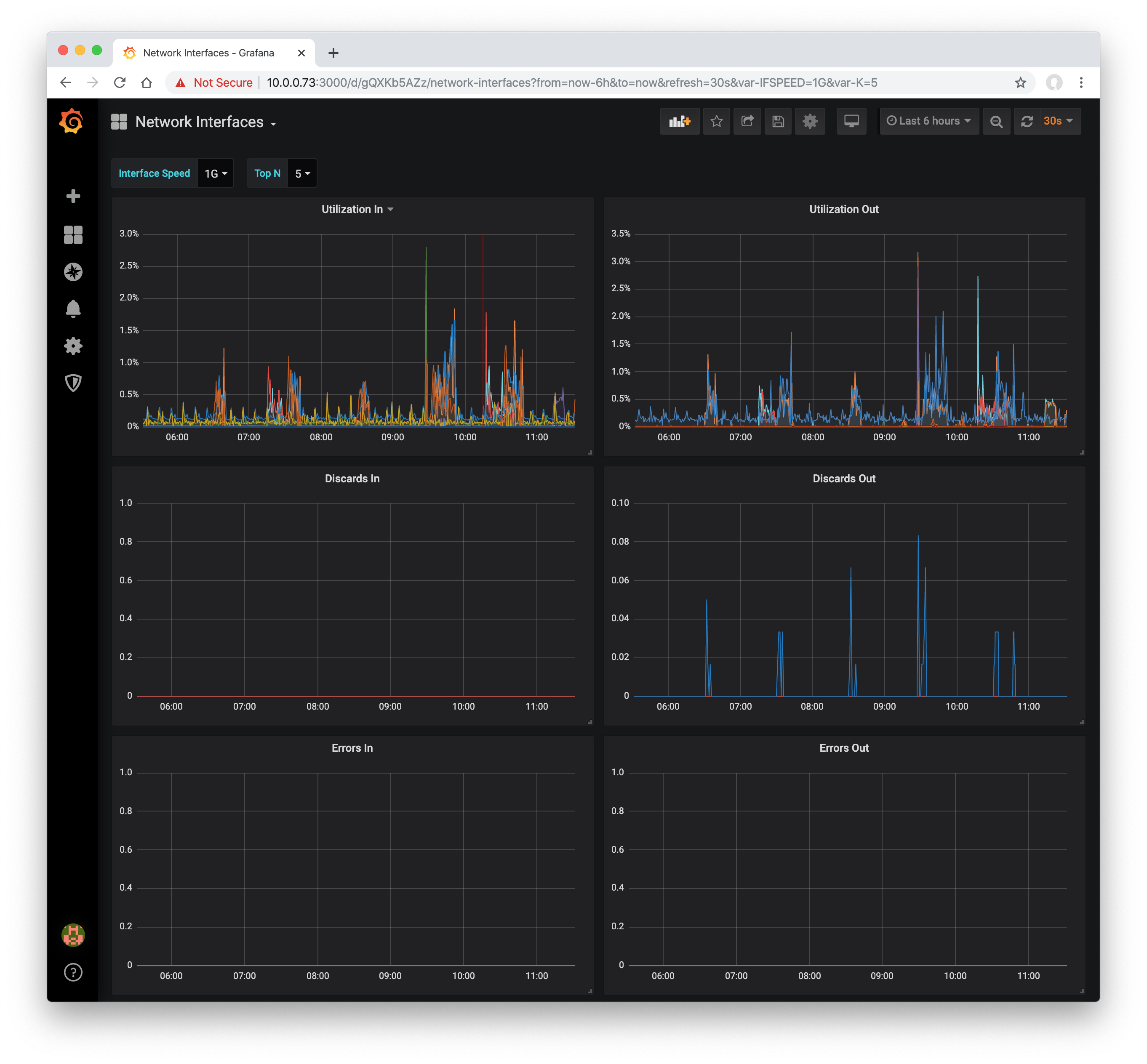
This dashboard displays busiest network interfaces reported by sFlow-RT analyzer. The sFlow-RT analysis software collects streaming telemetry from industry standard sFlow Agents embedded in network devices.
Use the sflow/prometheus image to run sFlow-RT using Docker:
docker run -d -p 6343:6343/udp -p 8008:8008 sflow/prometheus
To enable SNMP to retrieve network device interface and system names, add the following option:
docker run -d -p 6343:6343/udp -p 8008:8008 sflow/prometheus -Dsnmp.ifname=yes
Use the following Prometheus scrape configuration to collect the metrics from sFlow-RT:
scrape_configs:
- job_name: 'sflow-rt-analyzer'
metrics_path: /prometheus/analyzer/txt
static_configs:
- targets: ['sflow-rt.mysite.org:8008']
- job_name: 'sflow-rt-metrics'
metrics_path: /prometheus/metrics/ALL/ALL/txt
static_configs:
- targets: ['sflow-rt.mysite.org:8008']
metric_relabel_configs:
- source_labels: ['agent', 'datasource']
separator: ':'
target_label: instance
Get Dashboard✕
Download
Copy to Clipboard
Used Metrics 66
sflow_ifinutilization
sflow_ifoututilization
sflow_ifindiscards
sflow_ifoutdiscards
sflow_ifinerrors
sflow_ifouterrors