Prometheus Metrics Management
10,751

Created 8/13/2023
Updated 5/14/2025
Revision 4
Grafana Version >=11.6.0
Datasources
Prometheus

Cardinality is key. And it’s easy to get it out of control. Inspect your metrics with simple Prometheus queries and tune your instrumentation.

See more at https://mkaz.me/blog/2023/simple-prometheus-queries-for-metrics-inspection/

Installing

To import this dashboard, enter the ID 19341 in the Dashboards > New > Import form. For more details, visit Import dashboards

Dashboard Structure

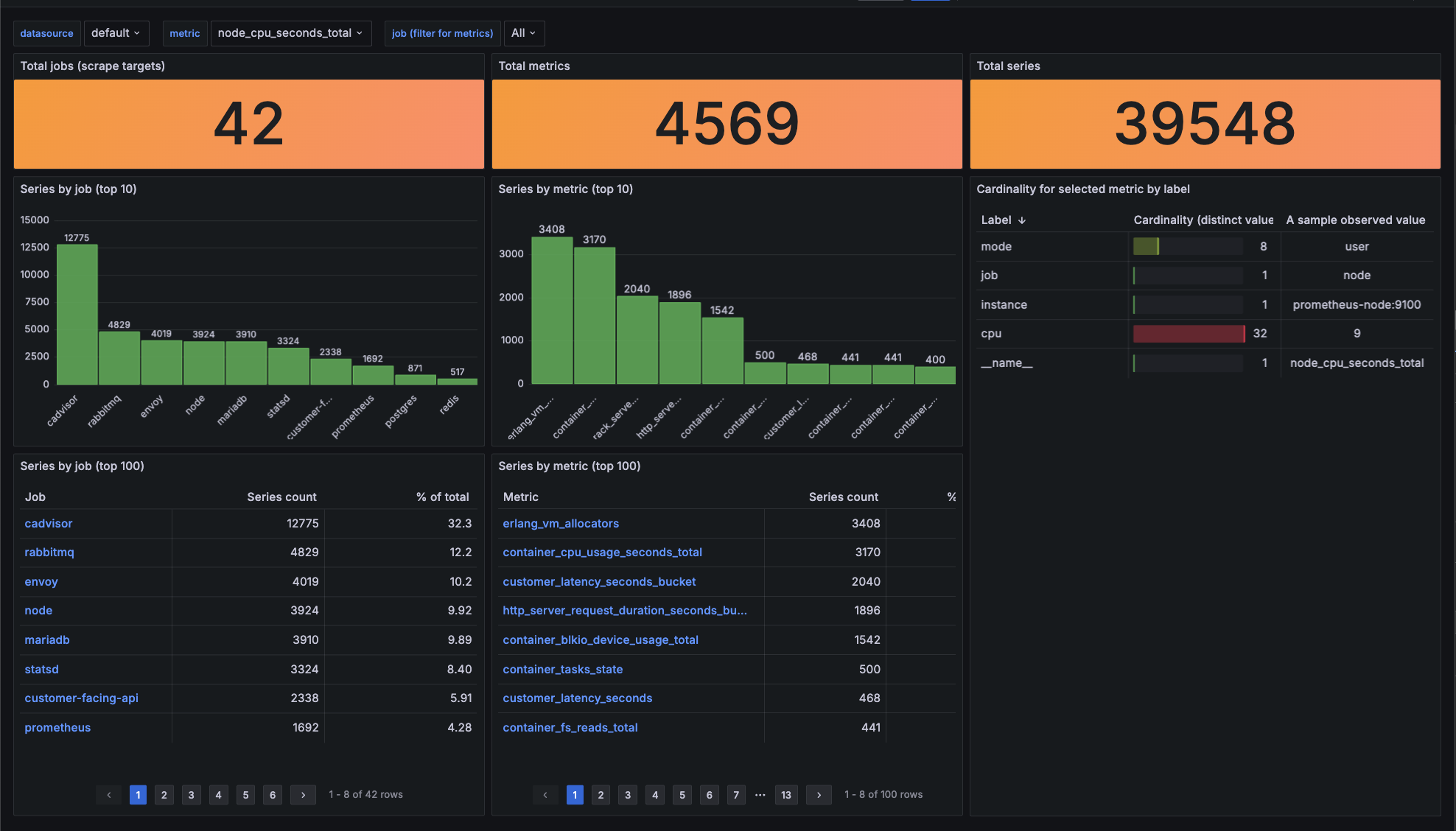
The dashboard displays three key statistics and three tables (with histograms), each providing different perspectives on cardinality.

Total Jobs

This statistic shows the number of jobs (scrape targets) that produce metrics.

Total Metrics

This statistic shows the number of all metrics. In other words, it's the number of unique __name__ values. __name__ is a special label that stands for the metric name.

Total Series

This statistic shows the number of all observed label combinations, representing the total time series managed by Prometheus.

Series by job table

This table shows the number of time series observed per job (scrape target).

Series by metric table

This table displays the number of unique label combinations observed per metric, useful for spotting metrics with high cardinality labels.

Cardinality by label for selected metric table

This table breaks down the selected metric by its labels, helping you identify which labels have high cardinality.

Get Dashboard
Download
Copy to Clipboard
Source Grafana.com

Used Metrics 2

  • topk

  • metric