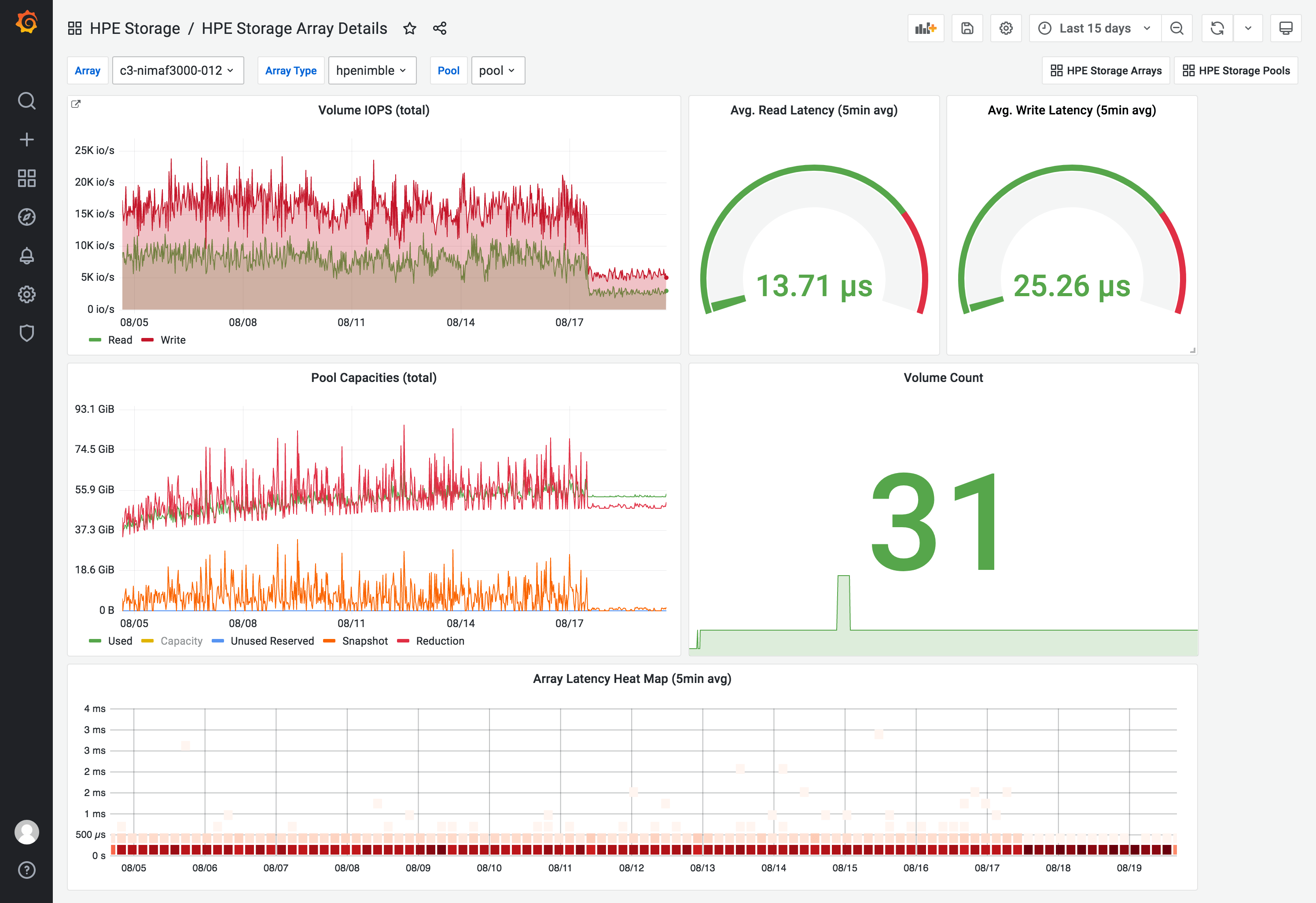
HPE Storage Array Details
1,242

Created 8/23/2021
Updated 8/31/2021
Revision 3
Categories
Host Metrics
Grafana Version >=8.0.5
Datasources
Prometheus

This dashboard displays an overview of a single HPE storage array using the HPE Storage Array Exporter for Prometheus scrape target.

Requirements

The source metrics needs to be normalized with the following metric_relabel_configs for the scrape target.

metric_relabel_configs:
  - source_labels: [__name__]
    action: labelmap
    regex: "cpg|pool"
    replacement: "storagepool"
  - source_labels: [__name__]
    regex: "^hpe(primera|nimble|3par|alletra6000|alletra9000)_(.*)"
    target_label: "__name__"
    replacement: "hpe_$2"
  - source_labels: [__name__]
    regex: "^hpe_(pool|cpg)_(.*)"
    target_label: "__name__"
    replacement: "hpe_storagepool_$2"

Resources

This dashboard utilize the officially supported exporter for HPE storage systems.

Support

This dashboard is provided, as-is, as an example and it's not officially supported by HPE. Join us on Slack at slack.hpedev.io in the storage platform channels if you have questions or feedback.

Get Dashboard
Download
Copy to Clipboard
Source Grafana.com

Used Metrics 10

  • hpe_volume_reads_per_second_avg

  • hpe_volume_writes_per_second_avg

  • hpe_volume_seconds_per_read_avg

  • hpe_volume_seconds_per_write_avg

  • hpe_storagepool_volume_used_bytes

  • hpe_storagepool_capacity_bytes

  • hpe_storagepool_unused_reserve_bytes

  • hpe_storagepool_snapshot_used_bytes

  • hpe_storagepool_data_reduction_bytes

  • hpe_volume_size_bytes