
CloudNativePG 448,310448,310
Refer to the Monitoring documentation on how to enable monitoring for your cluster and/or export custom metrics.
Source Code: GitHub
Prometheus Operator example
A specific PostgreSQL cluster can be monitored using the Prometheus Operator's resource PodMonitor. A PodMonitor correctly pointing to a Cluster can be automatically created by the operator by setting .spec.monitoring.enablePodMonitor to true in the Cluster resource itself (default: false).
apiVersion: postgresql.cnpg.io/v1
kind: Cluster
metadata:
  name: cluster-example
  namespace: test
spec:
  instances: 3

  storage:
    size: 1Gi

  monitoring:
    enablePodMonitor: true
User defined metrics
Custom metrics can be defined by users by referring to the created Configmap/Secret in a Cluster definition under the .spec.monitoring.customQueriesConfigMap or customQueriesSecret section as in the following example:
apiVersion: postgresql.cnpg.io/v1
kind: Cluster
metadata:
  name: cluster-example
  namespace: test
spec:
  instances: 3

  storage:
    size: 1Gi

  monitoring:
    customQueriesConfigMap:
      - name: example-monitoring
        key: custom-queries
Here you can see an example of a ConfigMap containing a single custom query, referenced by the Cluster example above:
apiVersion: v1
kind: ConfigMap
metadata:
  name: example-monitoring
  namespace: test
  labels:
    cnpg.io/reload: ""
data:
  custom-queries: |
    pg_replication:
      query: "SELECT CASE WHEN NOT pg_is_in_recovery()
              THEN 0
              ELSE GREATEST (0,
                EXTRACT(EPOCH FROM (now() - pg_last_xact_replay_timestamp())))
              END AS lag,
              pg_is_in_recovery() AS in_recovery,
              EXISTS (TABLE pg_stat_wal_receiver) AS is_wal_receiver_up,
              (SELECT count(*) FROM pg_stat_replication) AS streaming_replicas"

      metrics:
        - lag:
            usage: "GAUGE"
            description: "Replication lag behind primary in seconds"
        - in_recovery:
            usage: "GAUGE"
            description: "Whether the instance is in recovery"
        - is_wal_receiver_up:
            usage: "GAUGE"
            description: "Whether the instance wal_receiver is up"
        - streaming_replicas:
            usage: "GAUGE"
            description: "Number of streaming replicas connected to the instance"
A list of basic monitoring queries can be found in the default-monitoring.yaml file that is already installed in your CloudNativePG deployment (see
"Default set of metrics").
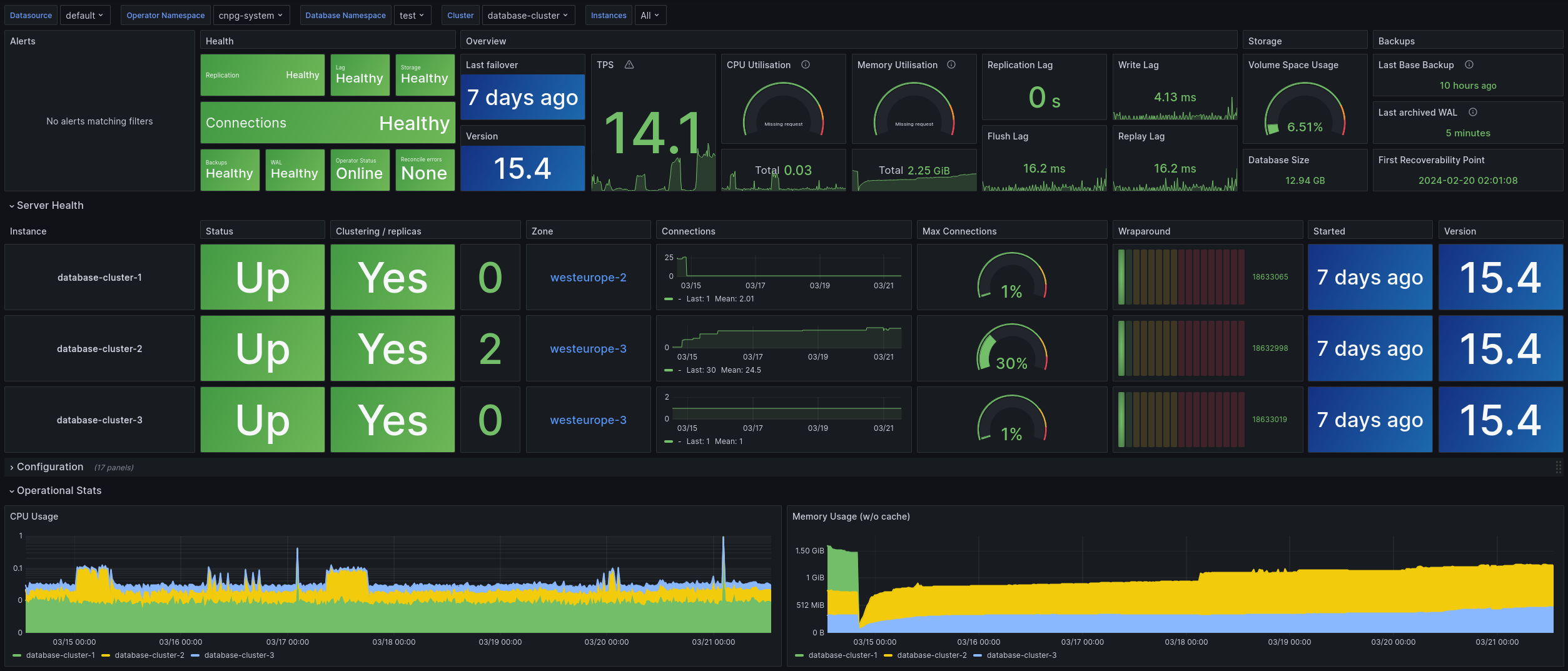
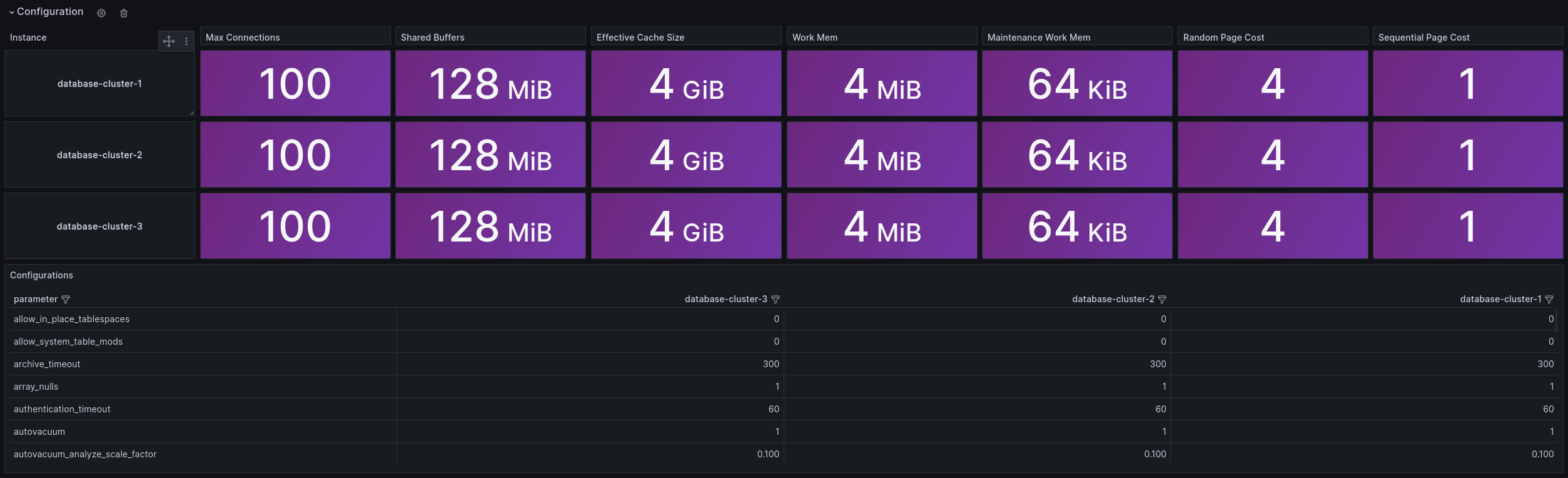
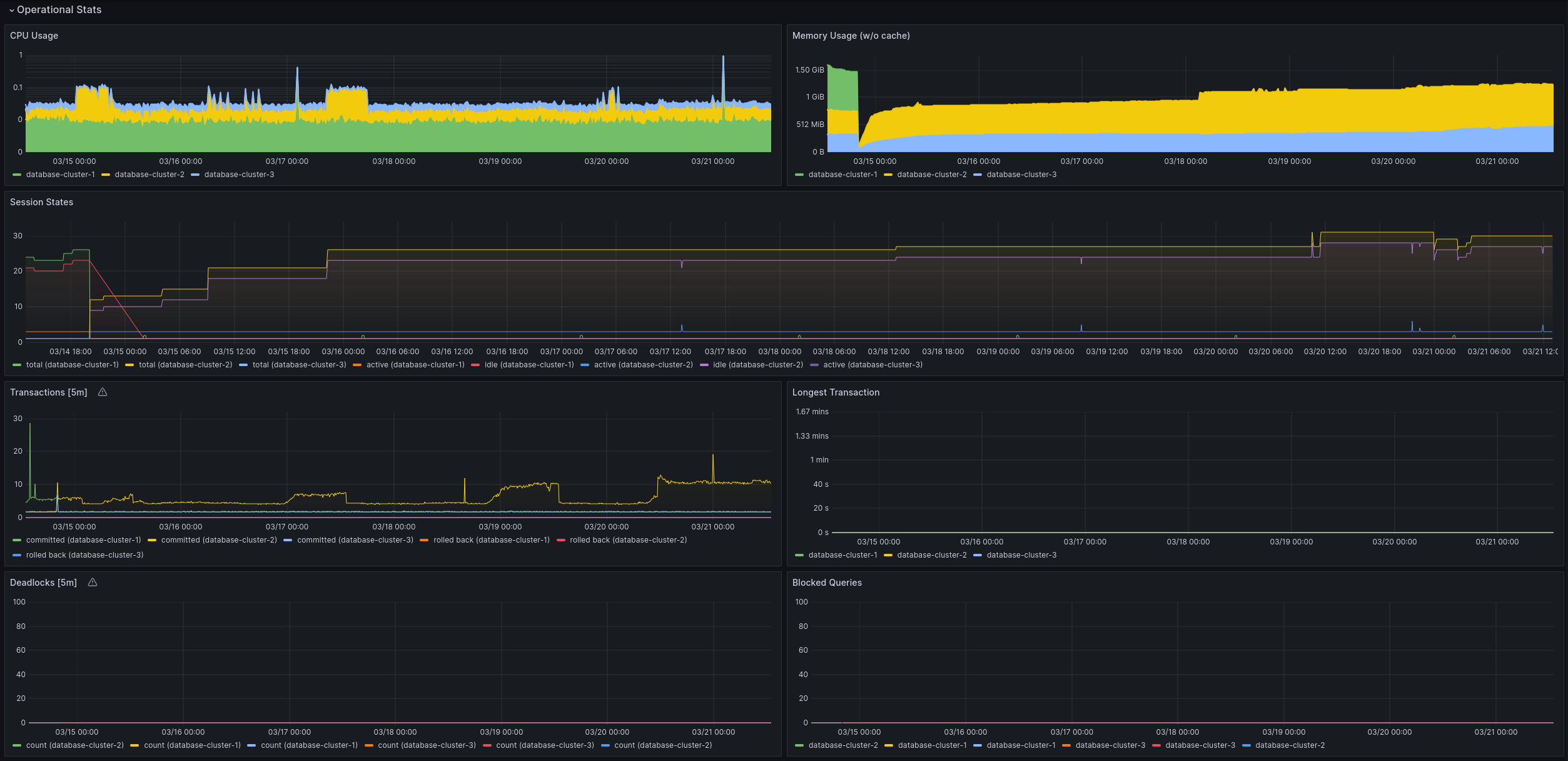
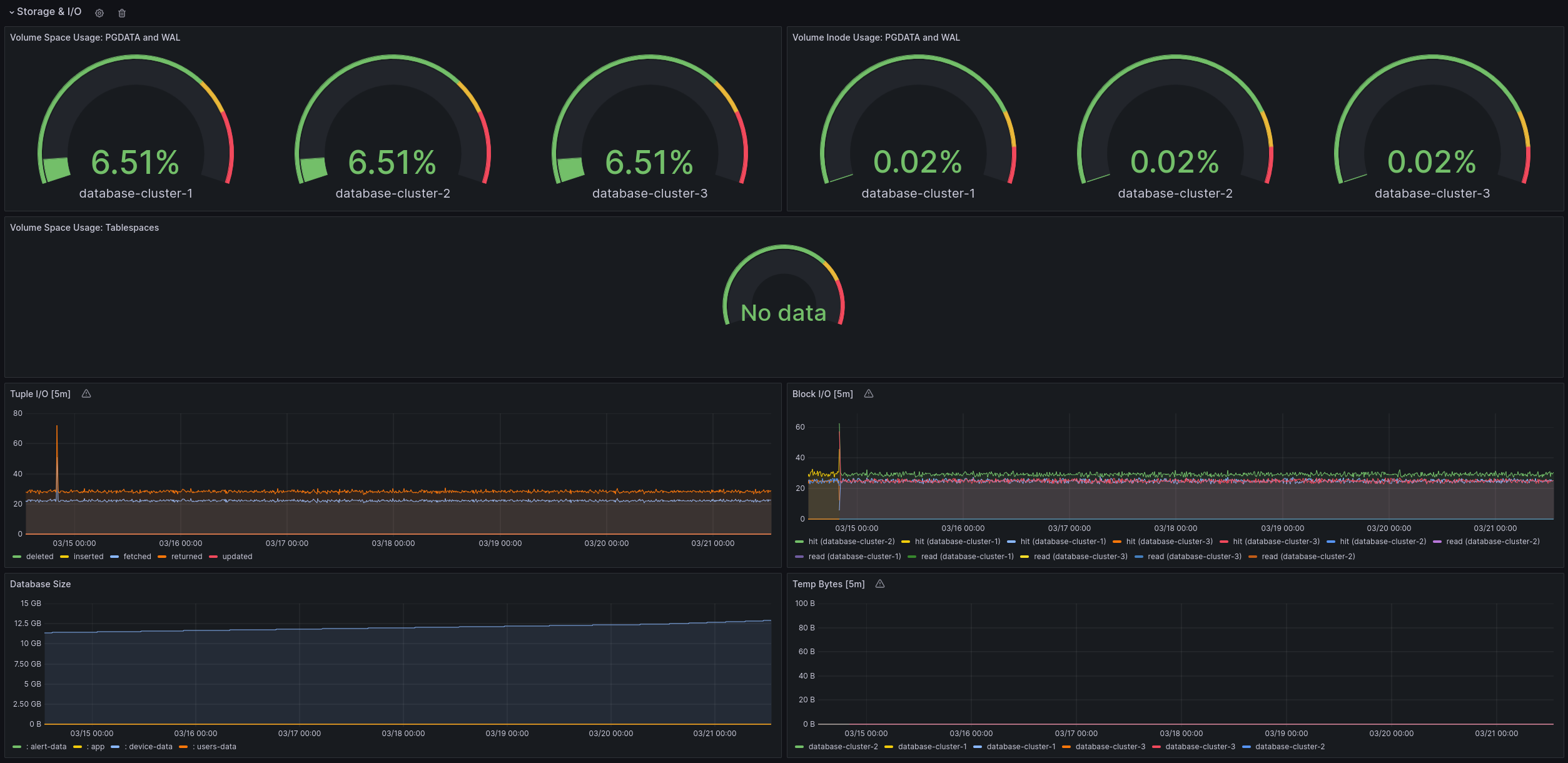
Used Metrics 4141
cnpg_pg_replication_streaming_replicas
cnpg_pg_replication_is_wal_receiver_up
cnpg_pg_replication_lag
cnpg_pg_stat_replication_write_lag_seconds
cnpg_pg_stat_replication_flush_lag_seconds
cnpg_pg_stat_replication_replay_lag_seconds
kubelet_volume_stats_available_bytes
kubelet_volume_stats_capacity_bytes
kubelet_volume_stats_inodes_used
kubelet_volume_stats_inodes
cnpg_pg_postmaster_start_time
cnpg_pg_stat_database_xact_commit
cnpg_pg_stat_database_xact_rollback
node_namespace_pod_container:container_cpu_usage_seconds_total:sum_irate
kube_pod_container_resource_requests
-
container_memory_working_set_bytes
wal
kubelet_volume_stats_used_bytes
tbs
volume
kube_pod_spec_volumes_persistentvolumeclaims_info
cnpg_collector_last_available_backup_timestamp
cnpg_backends_total
cnpg_pg_settings_setting
cnpg_pg_replication_in_recovery
timestamp
cnpg_pg_stat_archiver_seconds_since_last_archival
cnpg_collector_postgres_version
kube_pod_status_ready
controller_runtime_reconcile_total
cnpg_pg_database_size_bytes
cnpg_collector_first_recoverability_point
kube_pod_container_status_ready
min
kube_pod_info
label_topology_kubernetes_io_zone
kube_node_labels
cnpg_pg_database_xid_age
cnpg_backends_max_tx_duration_seconds
cnpg_pg_stat_database_deadlocks
cnpg_backends_waiting_total